
Download Glass Notepad – notepad, text editor, word counter, transparent interface, aero glass, Windows, productivity tool, writing assistant
Overview
Glass Notepad is a lightweight productivity tool designed for Microsoft Windows users seeking a modern alternative to the classic Notepad application. Built with a focus on visual aesthetics and functional simplicity, it introduces a transparent interface inspired by the Windows Aero glass effect, offering a sleek and contemporary look. While maintaining core text editing capabilities, the app enhances the user experience with subtle design flourishes that align with modern UI trends. It serves as a writing assistant for individuals who value both form and function, particularly those engaged in note-taking, drafting short documents, or tracking word counts during creative or professional writing tasks.
The app was developed by Jason A. Bilbrey, a known contributor to the Windows utility space, and released on June 17, 2009. Though specific details about the developer’s broader portfolio were not provided, the app’s release date suggests it was created during a period when Windows Aero features were gaining popularity. Glass Notepad fills a niche in the productivity ecosystem by combining minimalism with visual innovation, offering a refreshingly different experience compared to standard text editors. It is particularly suited for users who appreciate customization, visual clarity, and a distraction-free environment for writing.
Real-world use cases include drafting quick notes, composing short messages, or monitoring word counts for assignments or blog posts. The app’s lightweight nature and free availability make it accessible for a broad range of users, from students to professionals. Its integration with Windows Aero reflects an effort to align with the platform’s design language, making it feel native despite its unique appearance. The app remains relevant as a nostalgic yet functional tool for users who enjoy a visually distinct text editing experience.
Key Features & Functionality
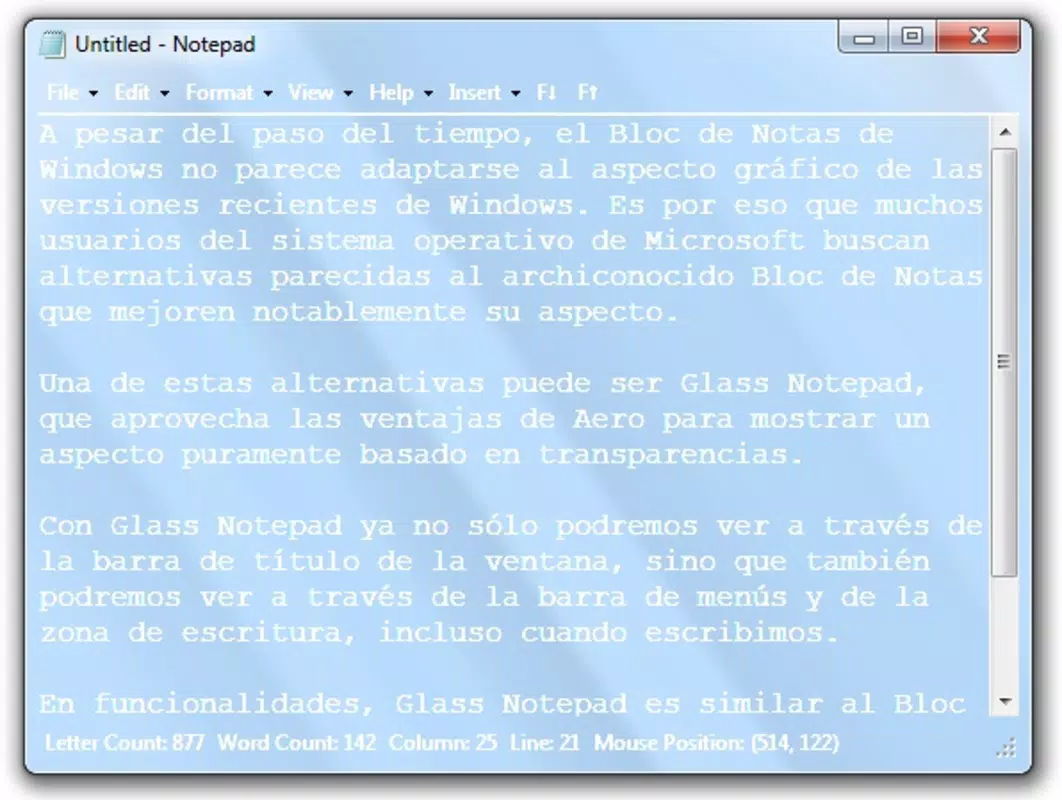
- Transparent Interface: The app features a see-through window, title bar, and text input area, drawing inspiration from the Windows Aero glass effect. This design choice enhances visual appeal and creates a modern, immersive experience while typing.
- Word Counter: A built-in tool that tracks the number of words in real time, helping users monitor their writing output without switching to external tools.
- Aero Integration: Fully leverages Windows Aero features to ensure smooth visual transitions and a cohesive look with the operating system’s native interface.
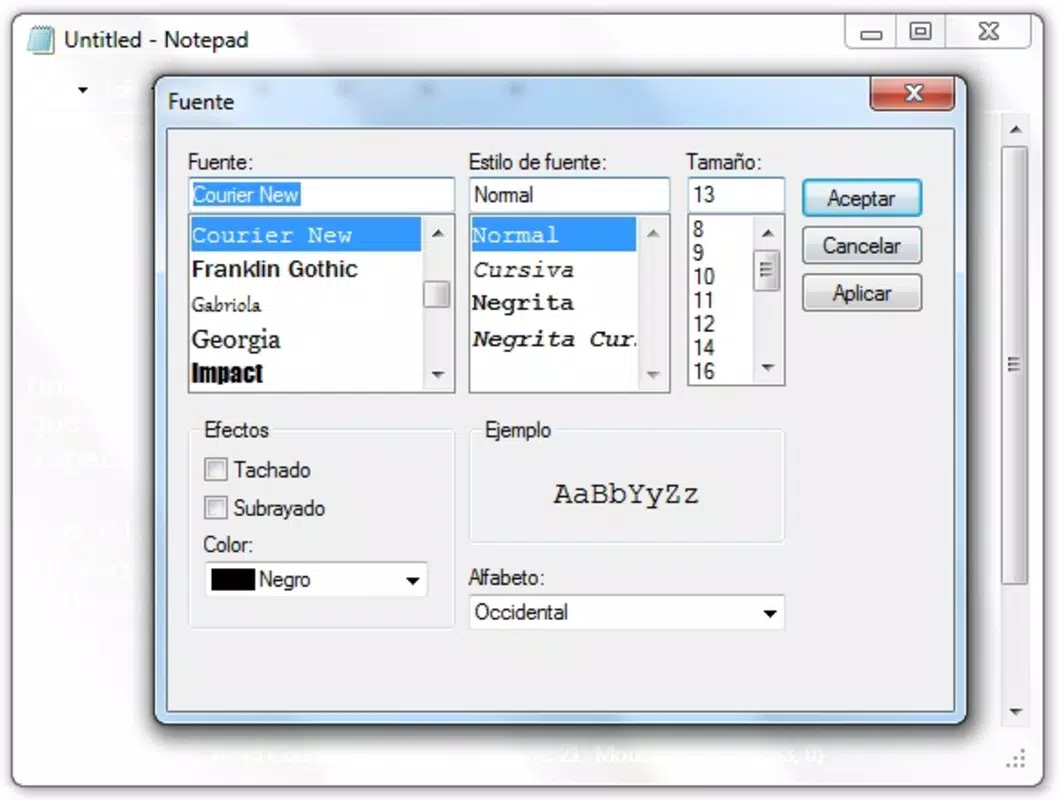
- Interface Customization: Users can toggle between transparent and standard non-transparent modes, allowing for personal preference and adaptability across different work environments.
Each feature serves a practical purpose. The transparent interface, for example, allows users to keep their workspace visible behind the app, which can be useful for referencing documents or applications while writing. The word counter supports users in meeting writing targets, such as completing a 500-word essay or blog post. Aero integration ensures the app blends seamlessly with the Windows desktop, avoiding a jarring or outdated appearance. Interface customization adds flexibility, enabling users to switch to a more traditional look when needed, such as in high-contrast or low-light settings.
These features collectively support a streamlined writing workflow. For instance, a student could use Glass Notepad to draft a research summary, monitor word count, and maintain focus with a clean, uncluttered interface. A professional might use it to jot down meeting notes while keeping their main project window visible. The app’s simplicity ensures that functionality does not come at the cost of usability.
Interface, UX & Performance
Glass Notepad presents a clean, minimal interface with a focus on visual clarity and ease of access. The layout centers around a large text input area, flanked by a transparent window frame and title bar, which contributes to its distinctive aesthetic. Navigation is straightforward, relying on standard keyboard and mouse interactions without requiring complex gestures or menus. The app opens quickly and responds to user input with minimal delay, suggesting efficient code execution.
Although the developer did not list formal performance metrics, the app’s small file size of 1.1 MB indicates a lightweight footprint, which typically correlates with low system resource usage. This makes it suitable for older or lower-spec Windows machines. The interface remains responsive across various screen resolutions, though specific compatibility details were not disclosed. Stability appears consistent based on its long-standing presence since 2009, though no recent updates have been released.
Users can expect a smooth experience when typing, with no reported lag or freezing during typical use. The transparent design does not interfere with readability, and text remains clearly legible against varying backgrounds. While the app lacks advanced formatting options, its simplicity enhances usability for quick tasks. The lack of onboarding or tutorial prompts is not a drawback, as the interface is intuitive enough for immediate use.
Platform Compatibility & Technical Requirements
Glass Notepad is designed for the Windows operating system. The app’s version is 1.0, and it has a file size of 1.1 MB. It is available at no cost, making it accessible to users seeking a free productivity solution. The developer did not specify minimum OS requirements, nor did they list compatibility with specific Windows versions beyond the general platform.
Given its release date in 2009, the app was likely developed for Windows Vista or Windows 7, both of which supported the Aero glass effect. However, the developer did not confirm whether it remains functional on newer Windows versions such as Windows 10 or Windows 11. Compatibility with modern systems cannot be guaranteed without further testing or official confirmation. Users should exercise caution when installing on updated systems, as legacy applications may encounter display or performance issues.
Pros and Cons
- Free to download and use
- Visually appealing transparent interface
- Lightweight and fast-loading
- Includes a built-in word counter
- Offers interface customization options
- Integrates with Windows Aero features
- Released in 2009; no recent updates
- Compatibility with modern Windows versions not confirmed
- Limited to basic text editing (no formatting or saving options mentioned)
- Developer did not provide technical specifications
- May not function properly on systems without Aero support
FAQ
Is Glass Notepad available for free?
Yes, Glass Notepad is provided at no cost. The app is free to download, install, and use.
Can I use Glass Notepad on Windows 10 or Windows 11?
The developer did not specify compatibility with Windows 10 or Windows 11. While it may function on these systems, performance and visual rendering are not guaranteed due to changes in the operating system’s design and graphics architecture.
Does Glass Notepad support saving text files?
The app’s functionality regarding file saving was not disclosed. Users should verify whether the app allows saving edits before relying on it for important work.
Is the transparent interface safe for eye strain?
While the transparent design is visually appealing, prolonged use in bright or cluttered environments may increase visual fatigue. Users are advised to adjust the interface mode or use the app in controlled lighting conditions.
How do I install Glass Notepad?
Download the app from a trusted source, then run the installer. The process is straightforward and does not require administrative privileges, though specific instructions were not provided by the developer.
Final Thoughts
Glass Notepad stands out as a nostalgic yet functional tool that blends visual elegance with practicality. Its transparent interface and word counter offer a unique twist on traditional text editing, appealing to users who value both aesthetics and efficiency. While it lacks modern features like file saving or formatting, its simplicity makes it ideal for quick note-taking and writing tracking. The app’s long-standing presence since 2009 speaks to its reliability, despite the absence of recent updates.
It is best suited for users who appreciate minimalist design, are working on older Windows systems, or want a lightweight alternative to standard Notepad. For those seeking a secure, free, and visually distinct productivity tool, Glass Notepad remains a compelling choice. Its ability to integrate with Windows Aero and offer customization ensures it fits diverse user preferences.
Download Glass Notepad now


